For small businesses

IQ Inventory

IQ Inventory

Snap the supplier invoice or the goods and it becomes a draft receipt; every dish sold consumes its ingredients earliest-expiry first; and every morning you know what to order and from whom.

100invoices per reading batch18units and pack sizes it knows4stages of suggested purchasing
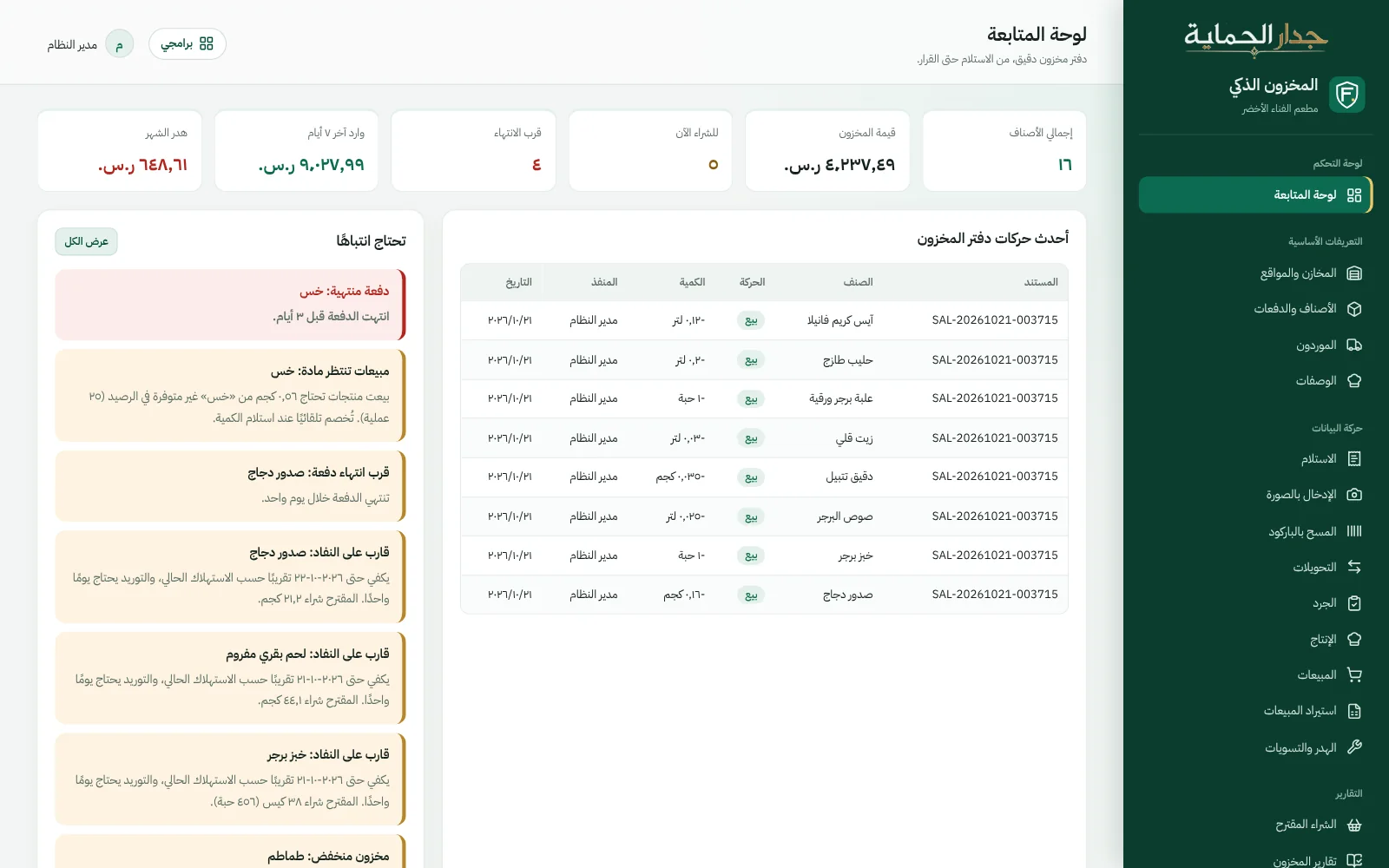
Dashboard
The IQ Inventory dashboard: inventory value, what to buy now, near expiry, waste and alerts
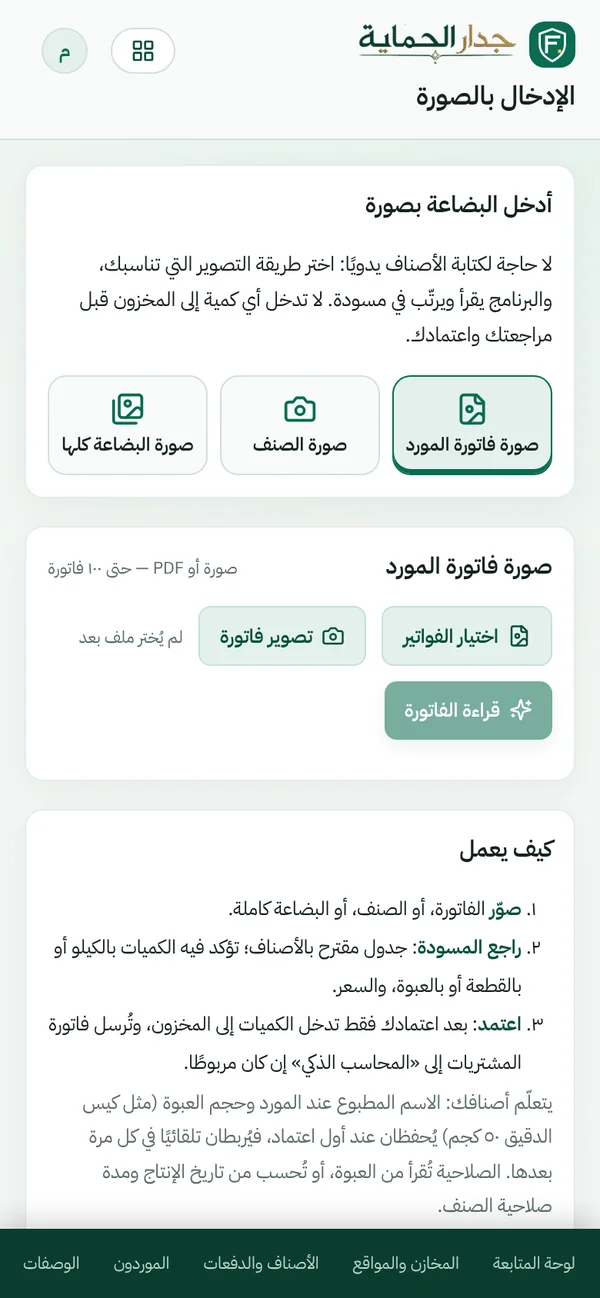
Photo entry on mobile: a photo of the supplier invoice, an item or a shipment
Straight from the product, on sample data for a fictional restaurant.

Purchases…
are photographed, not typed.

Three ways: a photo of the supplier invoice, a photo of a single item, or a photo of the whole shipment.

  • Supplier invoices

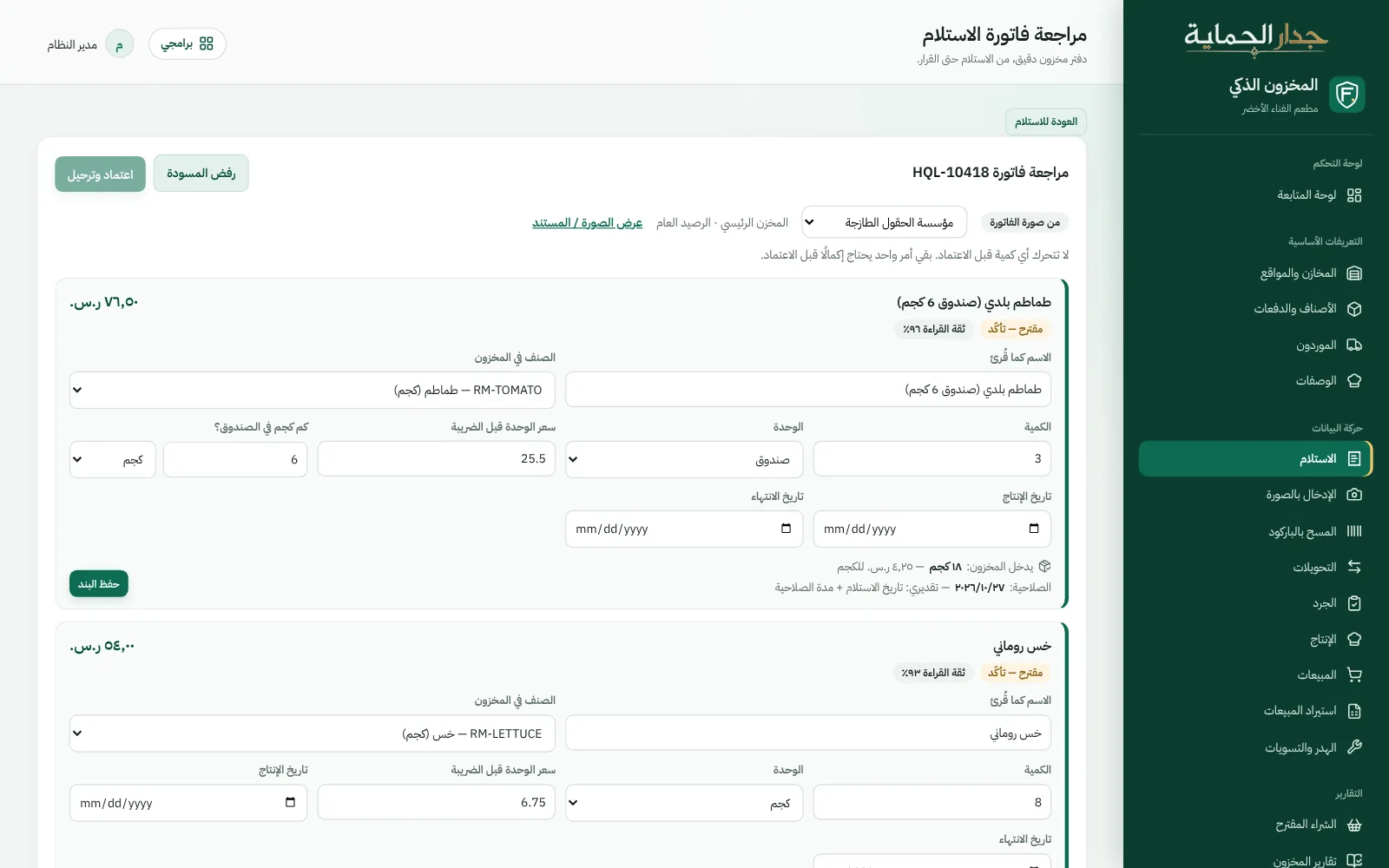
    Up to 100 invoices at once, with their lines linked to your items and suppliers.

  • The goods themselves

    Name, pack size, production and expiry dates are read from the label, and the source of each date is known: printed, calculated from production, or estimated.

  • It learns your suppliers

    “10 kg carton” and “local tomatoes” once — then they're converted and linked automatically on every invoice.

  • Nothing moves before approval

    And any missing detail, like the price or pack size, is requested before approval.

Reviewing a supplier invoice read from a photo: lines linked to items with pack size and expiry, and one unlinked line awaiting your decision
A supplier invoice read from its photo, awaiting review. Straight from the product, on sample data for a fictional restaurant.

AI in our products is optional, and everything it suggests stays a draft until an authorized user approves it.

What to order today…
and from which supplier.

Based on your actual consumption by weekday, each supplier's lead time, and each item's shelf life.

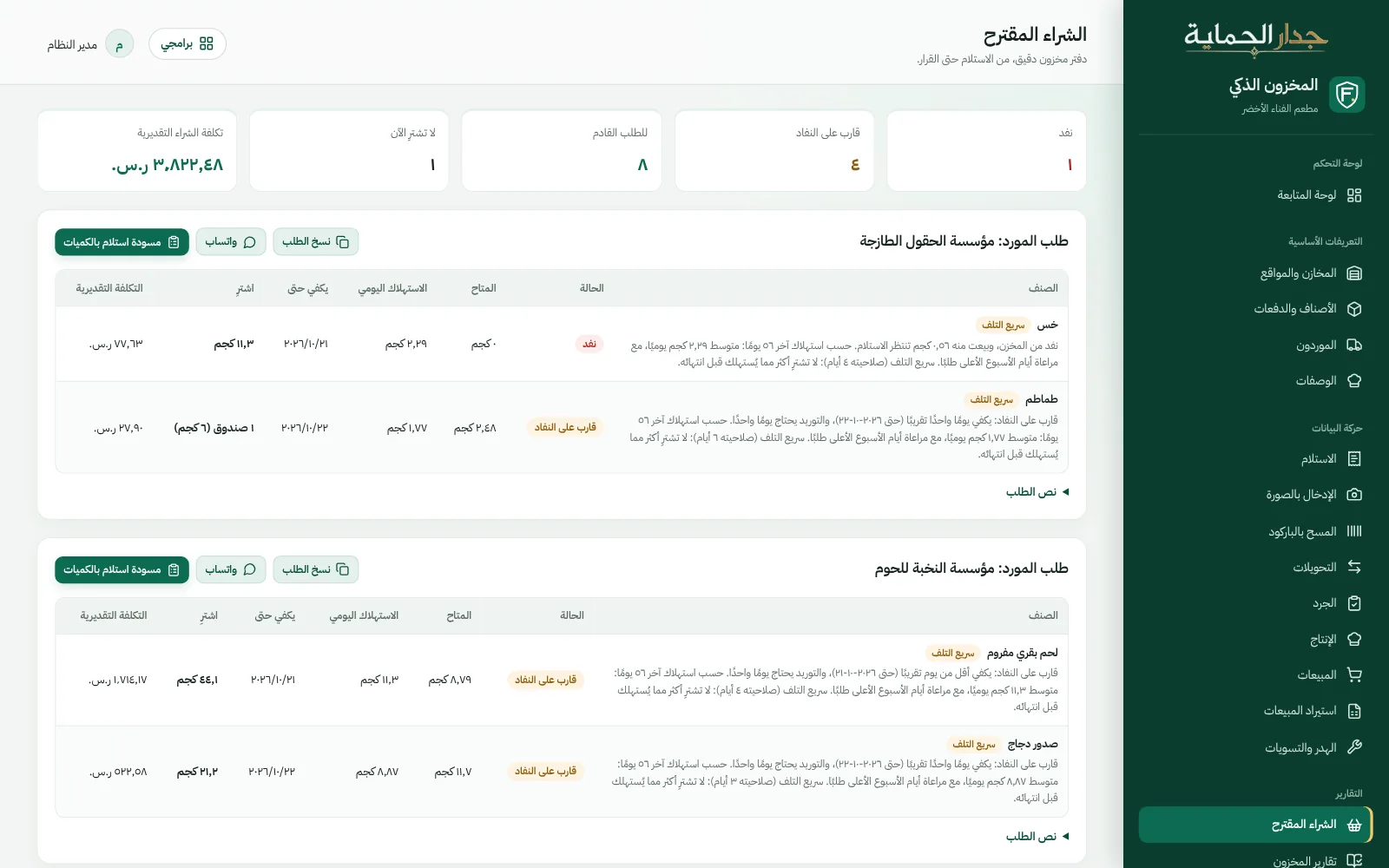
  • Four stages: out of stock, running low, for the next order, enough.
  • Quantities in the supplier's pack size: never more than you'll use before it expires.
  • A ready order message: for each supplier on WhatsApp, or a draft receipt in one click.
  • Overstock warning: a perishable item beyond what will be used before it expires.
  • Summer-aware: shorter coverage and smaller quantities for sensitive items.
Request a demo for your restaurant
Suggested purchasing
Suggested purchasing: items by supplier with stage, suggested quantity and reason, plus a ready order message
Straight from the product, on sample data for a fictional restaurant.

What expires first…
is used first.

  • Expiry first

    Issued earliest-expiry first, alerts before expiry, and expired batches await disposal with a reason.

  • Recipes & production

    The cost of every dish from its recipe, and production orders for the central kitchen at actual cost.

  • Waste with reasons

    Damaged, expired, during preparation… with a report of waste as a share of purchases.

  • Counts & transfers

    Blind counts, transfers between stores with an “in transit” status, and permissions per store.

  • Alerts that clear themselves

    Near expiry, reorder point, overstock and sales shortages — and they close once handled.

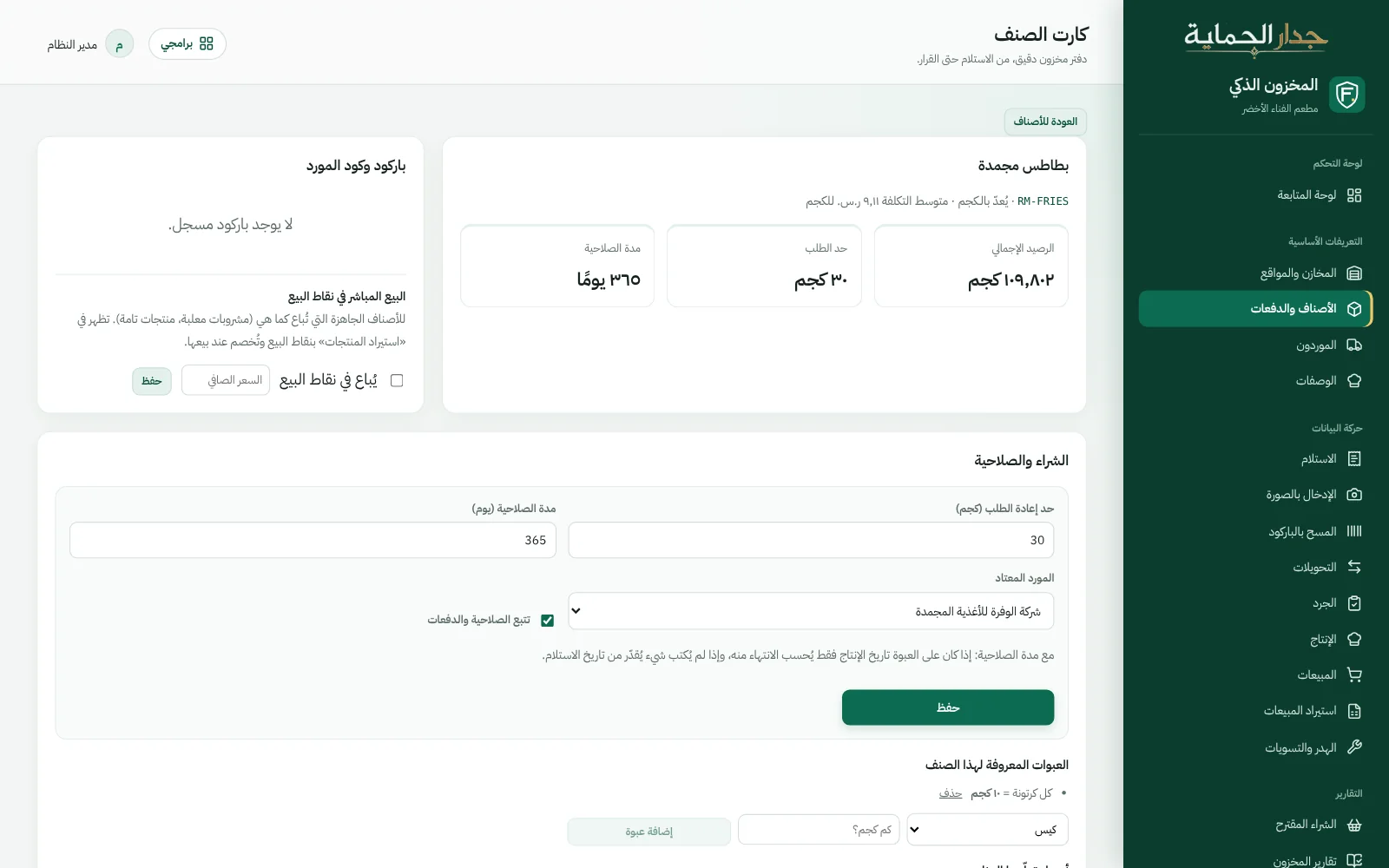
  • Item card

    Its pack sizes and supplier names, and its price history with percentage change.

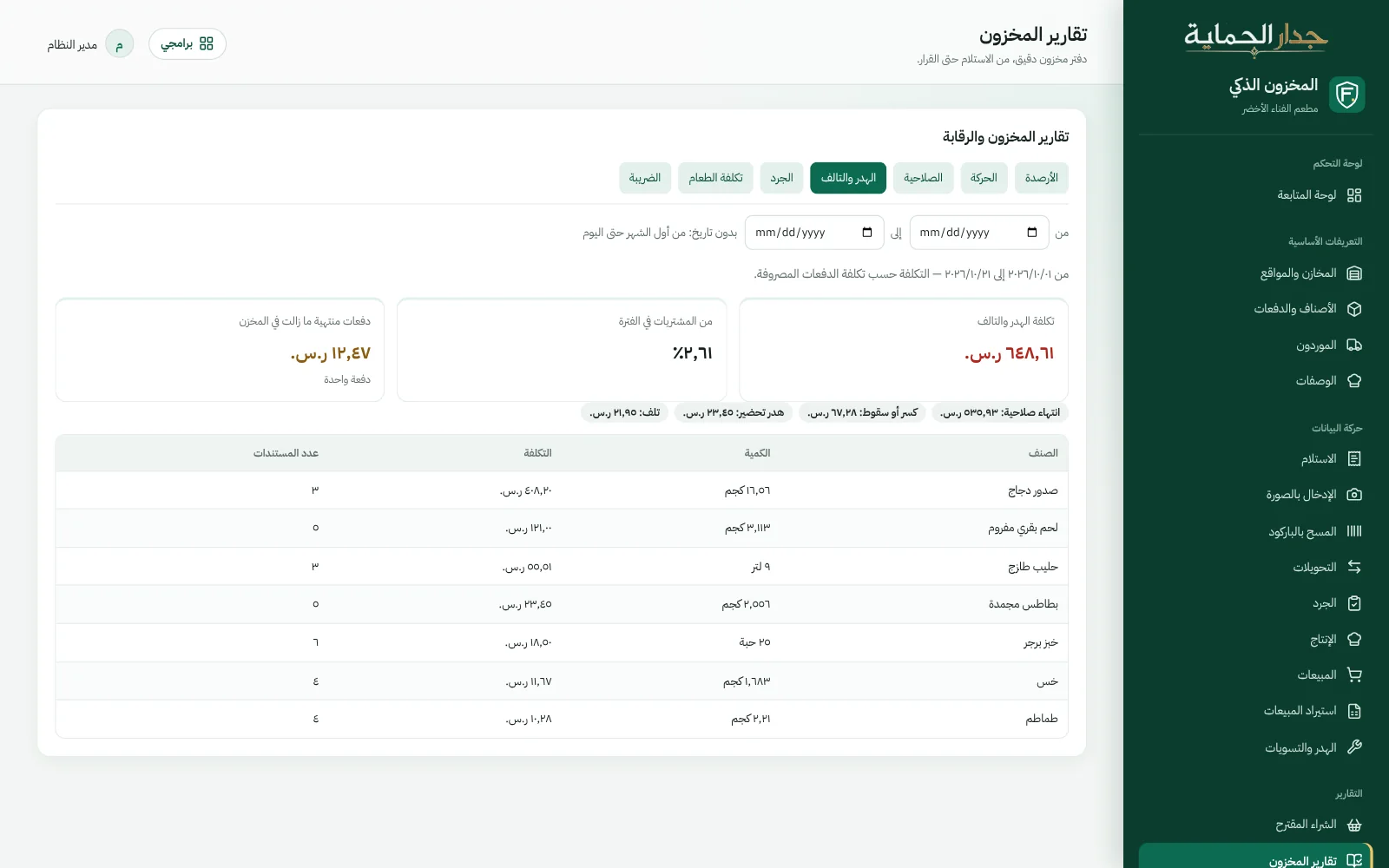
Waste report by reason and item, as a share of purchases
Waste report with reasons.
Item card: learned pack sizes, supplier names and price history
Item card: pack sizes, names and prices.

Questions about IQ Inventory

Didn't find your question? Ask us directly.

Does stock move straight from the photo?

No. Lines appear as a draft for you to review, and stock doesn't move until you approve.

What if the cashier sells a dish with an ingredient out of stock?

The sale isn't rejected: the shortfall is recorded under “Material shortages” and issued automatically when the goods arrive.

Does it work without Smart Accountant?

Yes, it works fully on its own. When you connect it to Smart Accountant, supplier invoices and cost entries reach the books automatically.

We use another system today. Is switching easy?

We help you migrate your items, suppliers and balances from your previous system, so you continue where you left off.

See it working…
before you decide.

Book a live demo on sample data, or tell us about your idea — we'll reply to you personally.

info@firewallsa.comDammam

Request a live demo

Product you're interested in

Opens WhatsApp with a ready message to our sales team; the website doesn't store your data. You can also email us.

WhatsApp