For small businesses

Smart Accountant

Smart Accountant

Complete books without the complexity: an invoice, an expense or a salary — every document posts its own entry automatically, and your financial statements and VAT return are ready any day.

9ready financial reportsOne entryautomatic per documentVAT returnsettled and paid
Overview
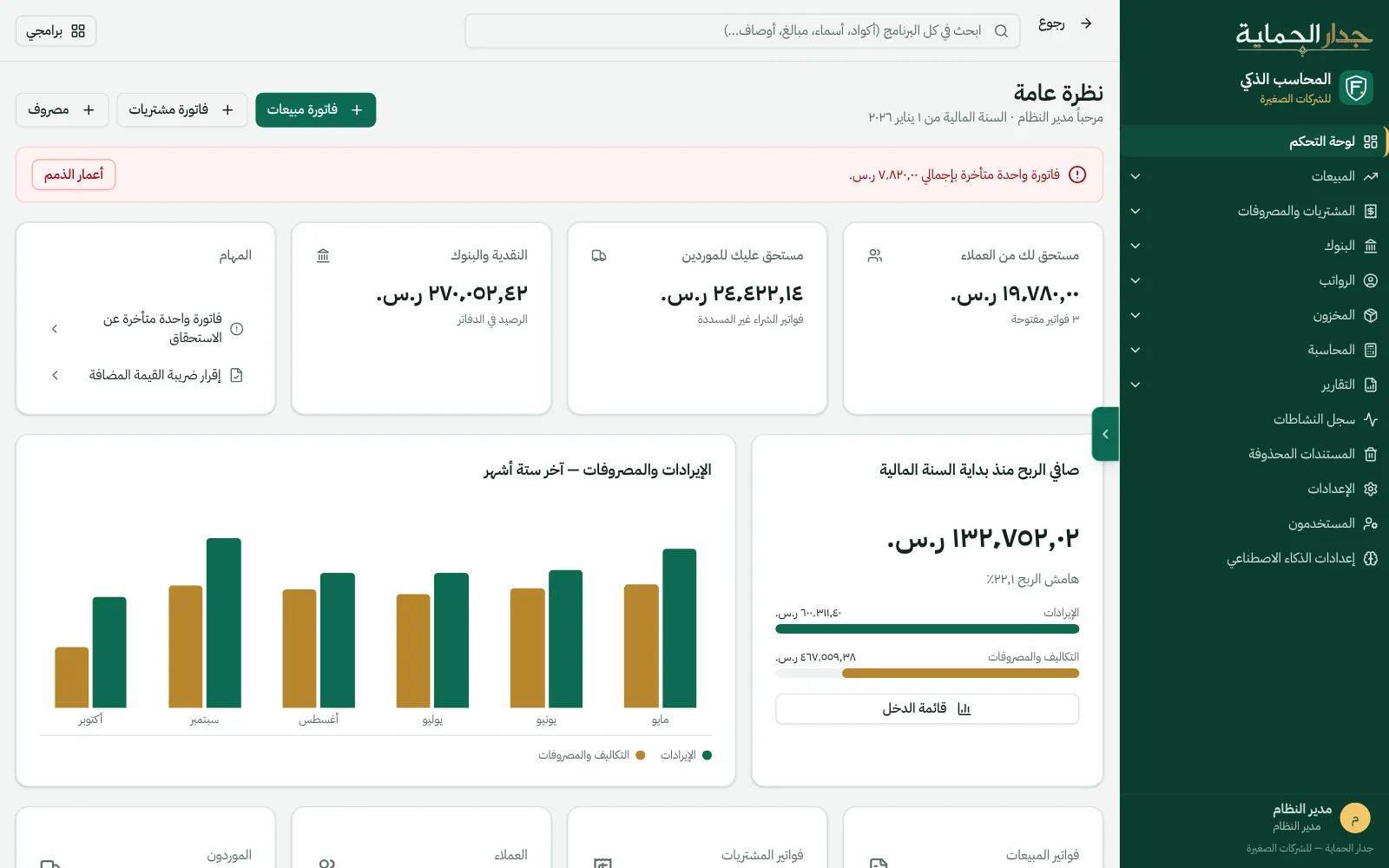
The Smart Accountant dashboard: receivables and payables, cash, net profit, and six months of revenue and expenses
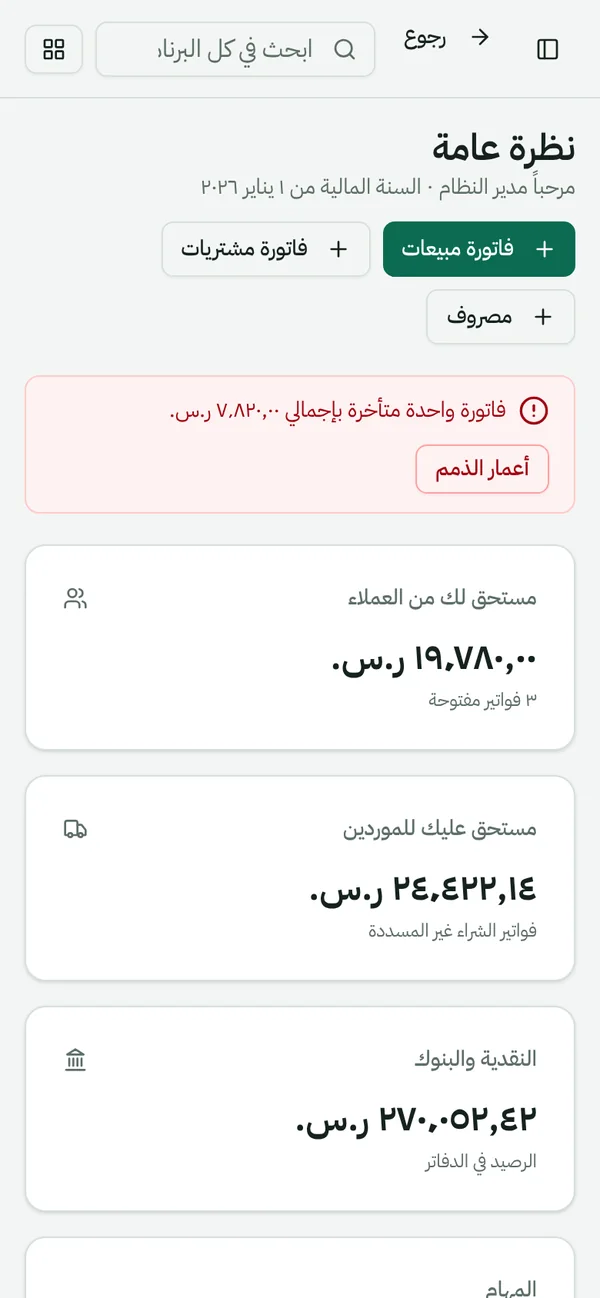
The Smart Accountant dashboard on mobile
Straight from the product, on sample data for a fictional restaurant.

Everything your business needs…
in one set of books.

Simple for the owner, precise for the accountant.

  • Sales

    Tax invoices with QR codes, quotations that become invoices, credit notes, receipts and customer aging.

  • Purchases & expenses

    Supplier invoices and purchase orders, expenses with their VAT, and government payments such as iqama and license fees.

  • Banks & cash

    Bank accounts and transfers, bank statement reconciliation, and categorization rules for recurring transactions.

  • Payroll

    Employees and payroll with allowances and social insurance, with entries posted on approval and payment.

  • Fixed assets

    An asset register with straight-line or declining-balance depreciation, and an entry for every depreciation, sale or disposal.

  • Controls

    Users with roles, an audit log of every action, a recycle bin to restore deleted documents, and period locking.

The VAT return…
from the same entries.

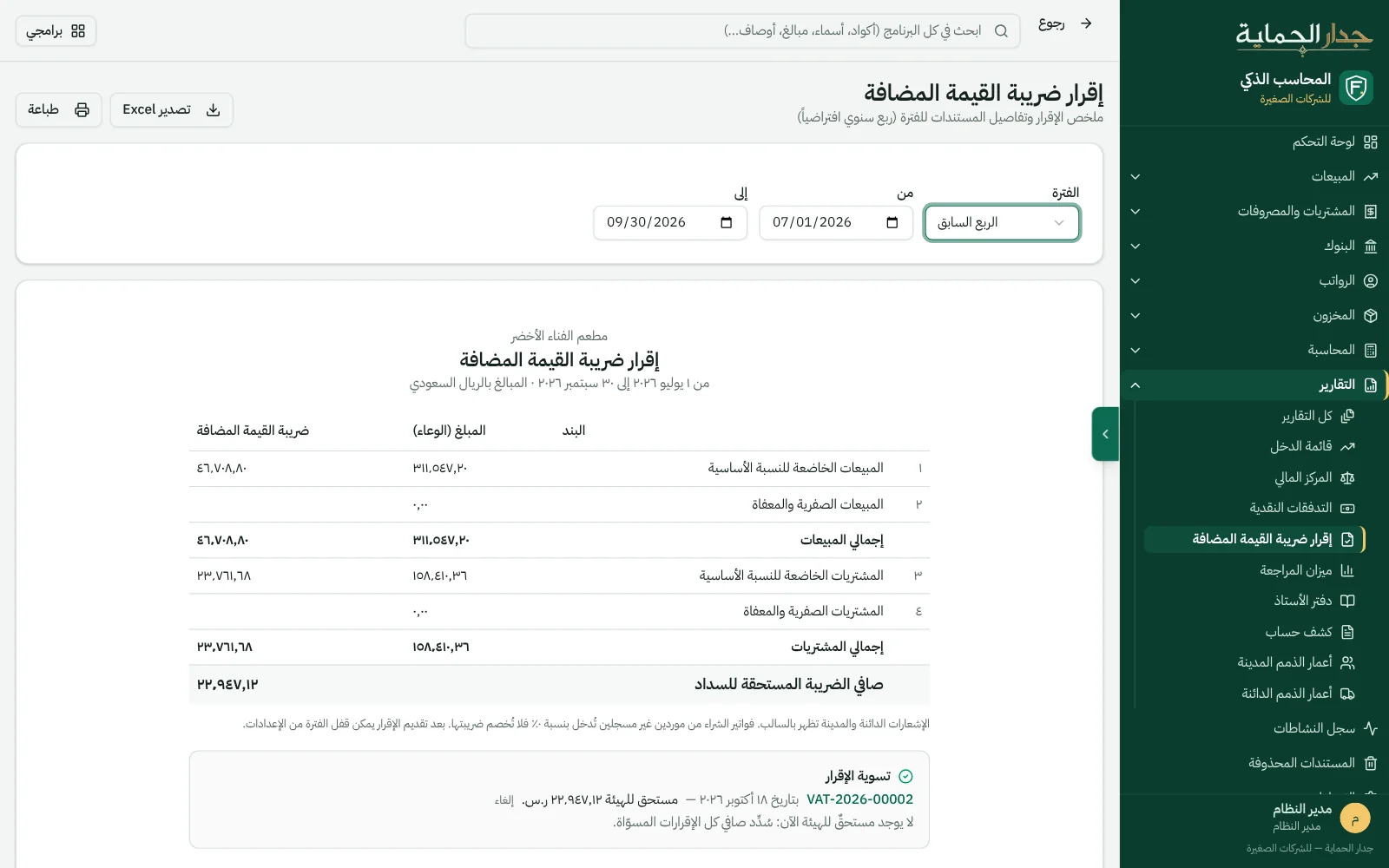
The return reconciles the output and input VAT balances, with details of every invoice, expense and sales summary.

  • Standard and zero rate: sales and purchases, with every document's details and the customer's or supplier's VAT number.
  • Settle the return in one entry: the net moves to “VAT payable to ZATCA”, and the return stays unchanged after settlement.
  • Pay and close: pay the net from “Government payments”, then close the period so no document can be added to it.
  • A late document? If a document is dated inside a settled period, the difference shows up and you post a supplementary settlement for it.
Request a demo for your company
VAT return
The VAT return for a closed quarter, with the settlement entry and the pay-VAT button below it
Straight from the product, on sample data for a fictional restaurant.

Every document…
its entry ready.

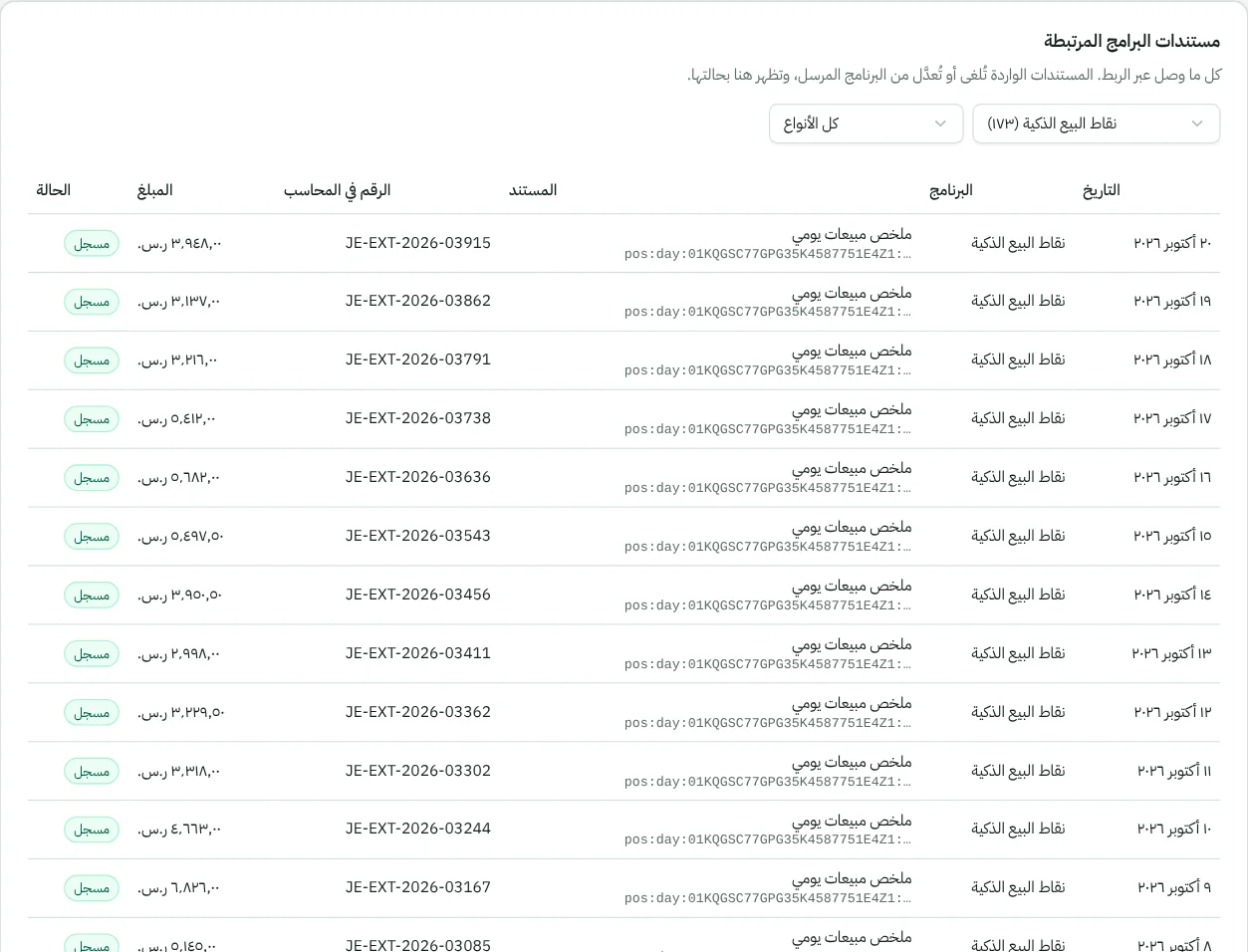
Don't write entries for invoices, payments, expenses or salaries: they're built from the document itself, and update with it if you edit it.

  • Balances that always match: customers, suppliers and banks are calculated from the same entries.
  • A chart of accounts for your activity: restaurant, trading, contracting or hotel — and add whatever you like.
  • Manual entries for everything else: saved as drafts then posted, and an unbalanced entry is never accepted.
  • Financial statements: income statement, balance sheet, cash flows, trial balance, general ledger, account statement and aging.
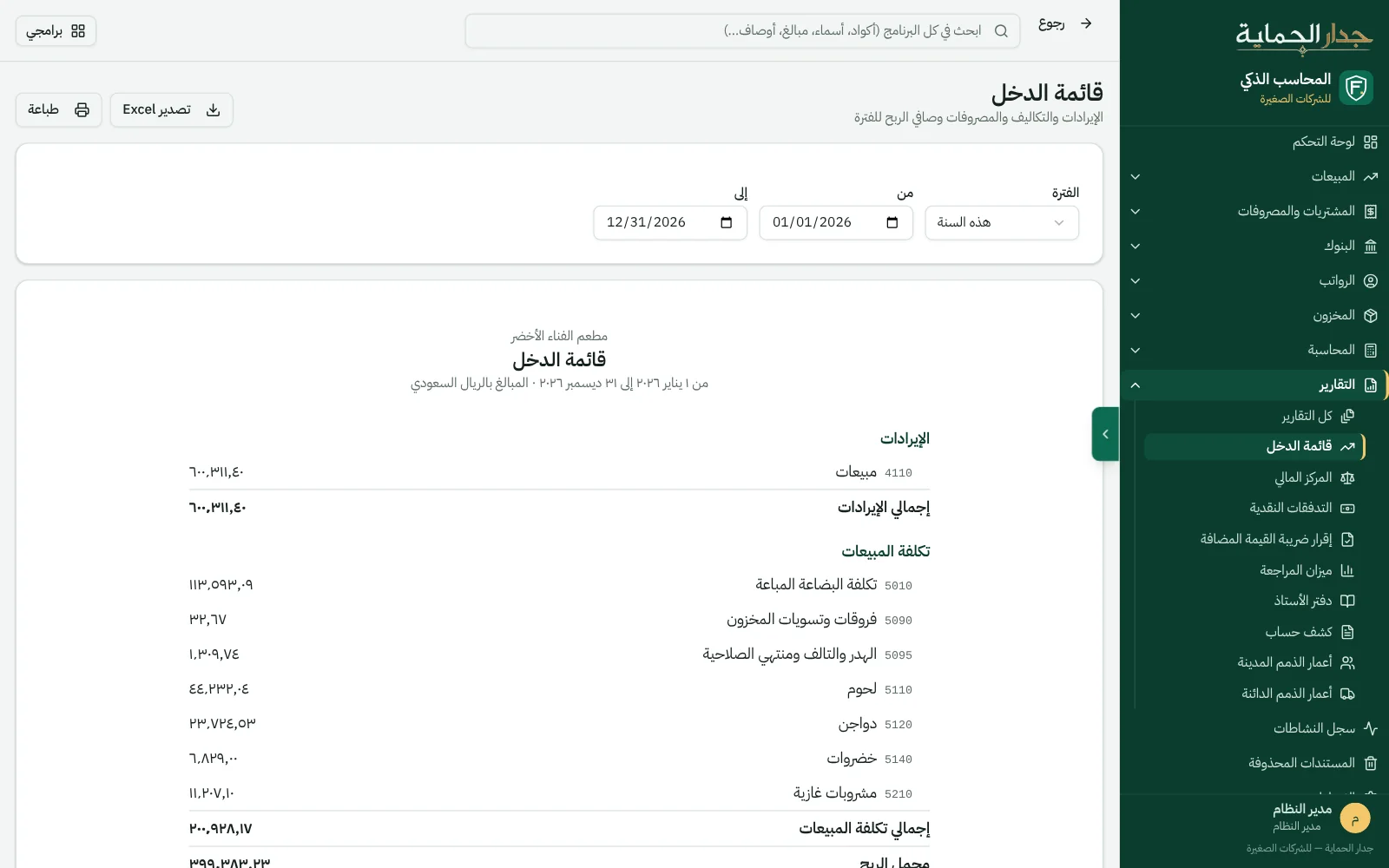
Income statement
The income statement in Smart Accountant: revenue, cost of sales, expenses and net profit
Straight from the product, on sample data for a fictional restaurant.

The supplier invoice…
is read, not typed.

Upload a photo of the purchase invoice and a draft purchase invoice appears with its lines and VAT for you to review and approve.

  • Purchase invoice reader

    Supplier, date, number and lines are read from the photo, and nothing is posted before you approve.

  • Categorization that learns

    Rules for categorizing bank transactions and expenses learn from your choices, so accounts are suggested next time.

AI in our products is optional, and everything it suggests stays a draft until an authorized user approves it.

Questions about Smart Accountant

Didn't find your question? Ask us directly.

Is it for the accountant or the business owner?

Both: the owner issues invoices and sees the numbers on one dashboard, and the accountant finds the entries, chart of accounts, financial statements and VAT return.

Do I need IQ Inventory with it?

No. Smart Accountant tracks simple items on its own. If you have a kitchen or warehouse with recipes and expiry dates, connect it to IQ Inventory to handle stock, and its entries reach the books.

How do I record a VAT payment?

After the period ends, post the settlement entry from the return page, then record the payment in “Government payments” under “VAT payment”, and close the period from settings.

Where is my data stored?

On our servers with a daily backup, and you access it from the browser on your computer or phone.

See it working…
before you decide.

Book a live demo on sample data, or tell us about your idea — we'll reply to you personally.

info@firewallsa.comDammam

Request a live demo

Product you're interested in

Opens WhatsApp with a ready message to our sales team; the website doesn't store your data. You can also email us.

WhatsApp