For small businesses

Smart POS

Smart POS

A fast sales screen with categories and barcodes, tax invoices with QR codes, and a Windows cashier that keeps selling when the internet drops. Each day's sales reach your books and inventory on their own.

4payment methodsQRon every invoiceOfflineon Windows
Point of sale
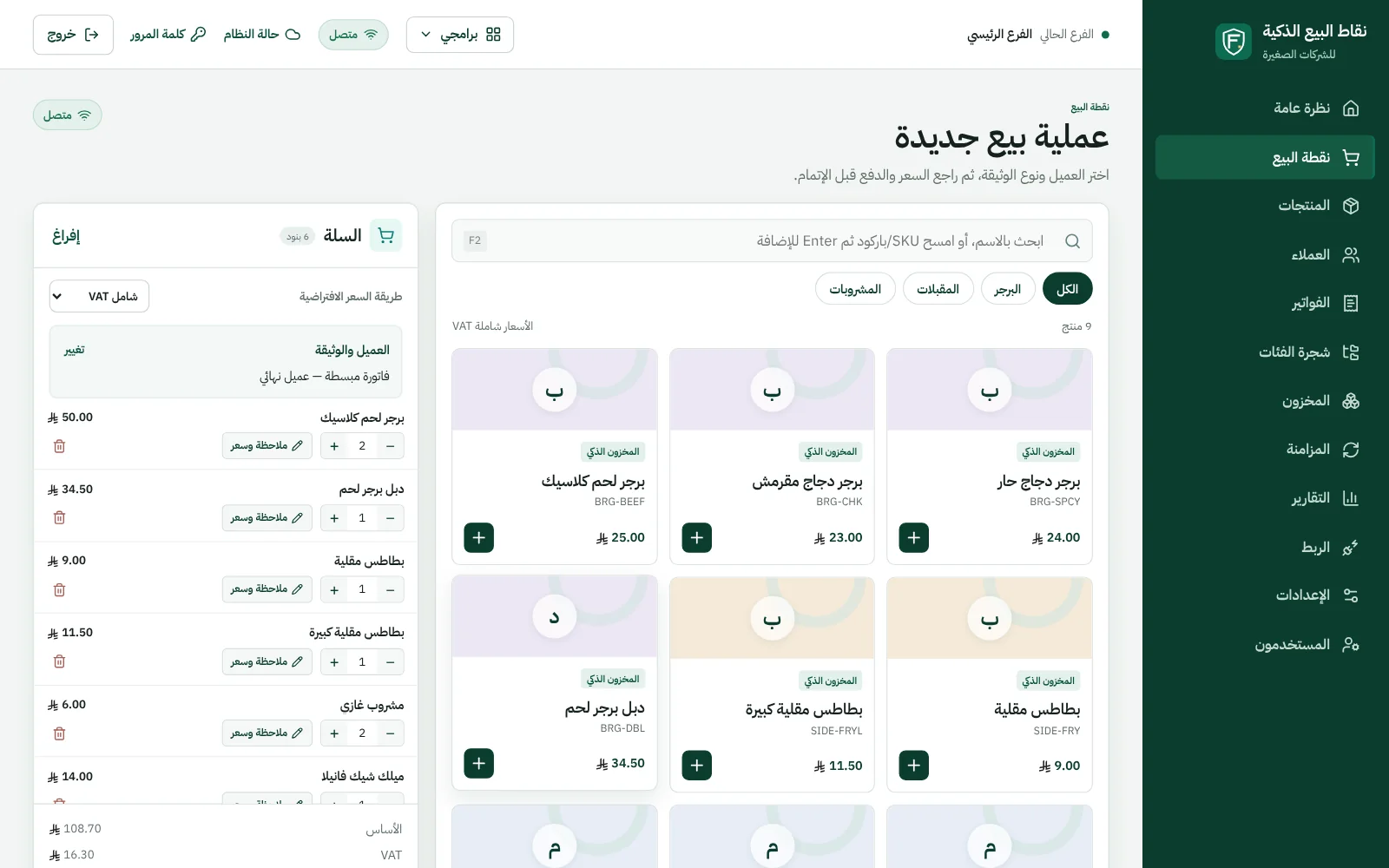
The sales screen: categories and items, and the order basket with its total and VAT
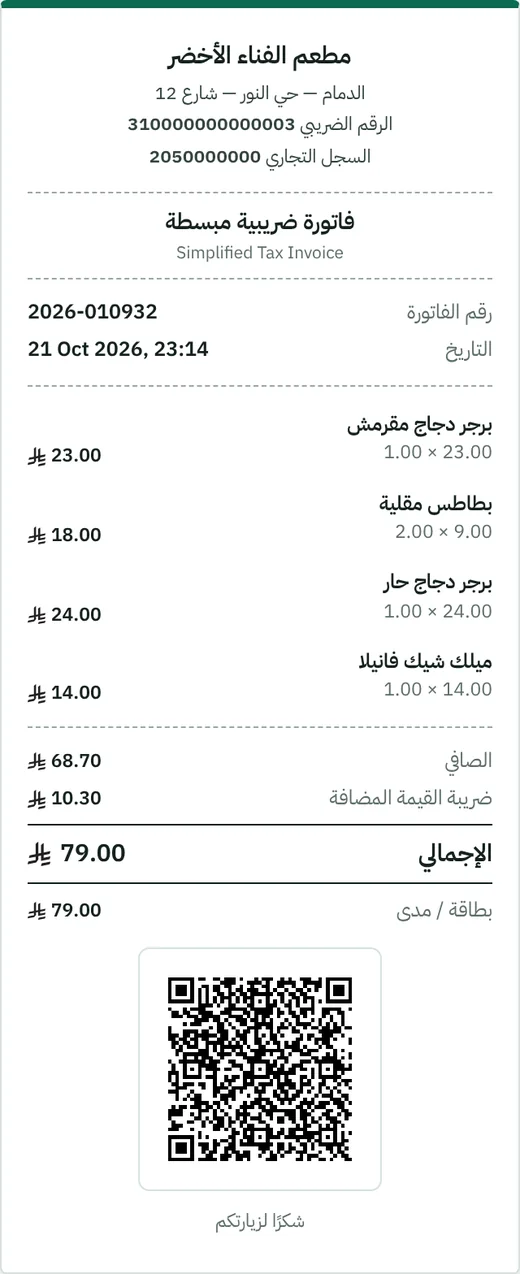
An 80 mm receipt: a simplified tax invoice with a QR code
Straight from the product, on sample data for a fictional restaurant.

Fast selling…
and a correct invoice.

  • A fast sales screen

    Categories, items and variants, search and barcode, and payment by cash, card, transfer or on credit.

  • Invoicing

    Simplified tax invoices with QR codes, B2B invoices with buyer details, credit notes for returns, printing on 80 mm receipts or A4, and sharing invoices by link.

  • Windows, offline

    A Windows cashier app that keeps selling when the connection drops, then syncs invoices without duplicates.

  • Customers & credit

    Customer cards, and credit sales arrive as a receivable on the same customer in Smart Accountant.

  • Users & devices

    Manager and cashier with permissions, and registered cashier devices.

  • Reports

    Sales for any period by item and payment method, and invoices and credit notes to search and print.

Today's sales…
in your books tonight.

Choose how to post to Smart Accountant: a summary per day, or an invoice per transaction.

  • Daily summary: cash, card, transfer and credit per customer, with revenue and VAT after returns.
  • Ingredients from inventory: every dish consumes its ingredients from IQ Inventory, earliest expiry first.
  • Check before selling: the cashier knows if a dish is missing ingredients, and selling never stops.
  • Import items: recipes, items and prices from IQ Inventory in one click.
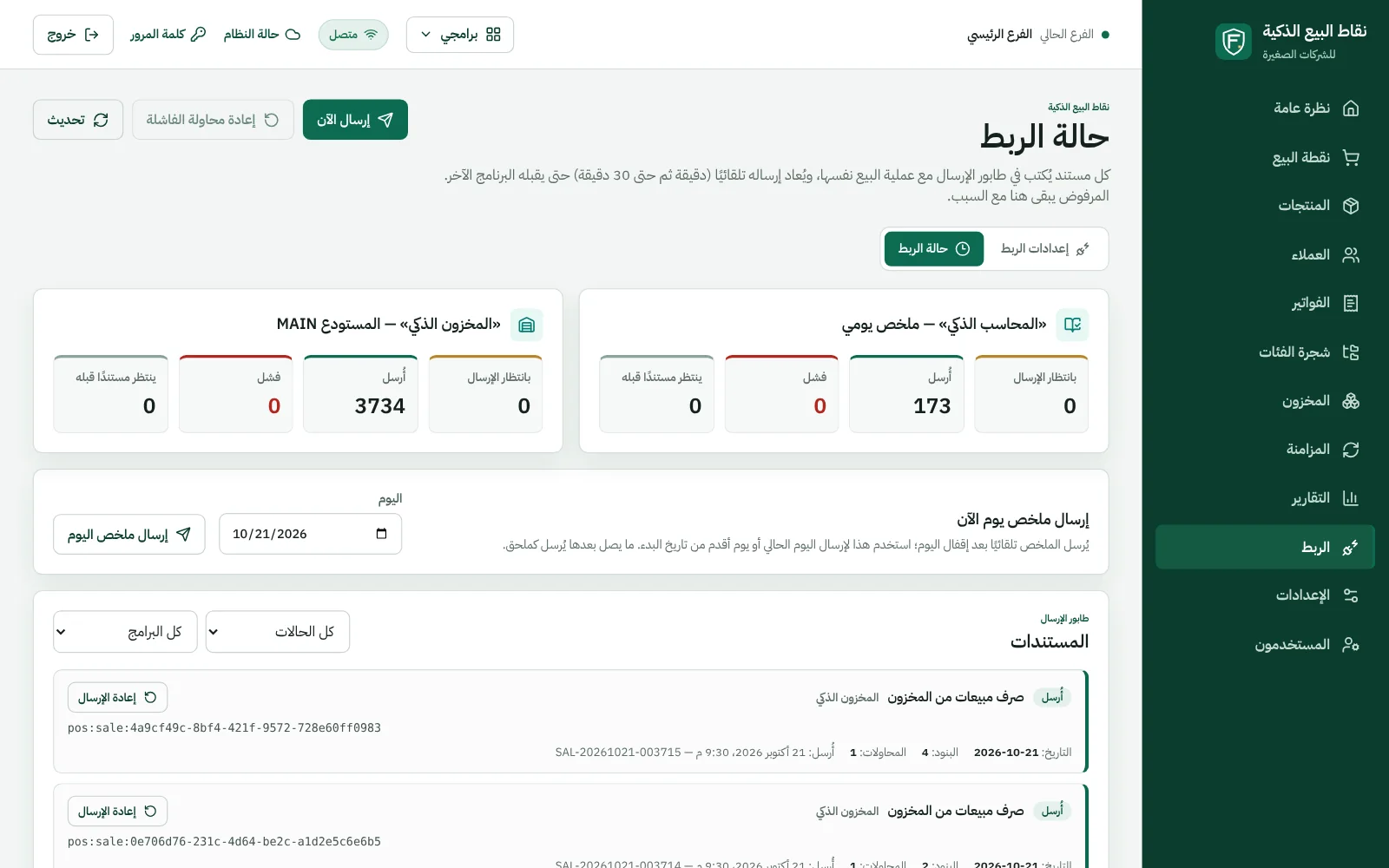
  • Sending without duplicates: a send queue that retries on its own and shows the status of every document.
Request a demo for your shop
Integration status
Integration status in Smart POS: what was sent to Smart Accountant and IQ Inventory, and what's pending
Straight from the product, on sample data for a fictional restaurant.

Your sales…
wherever you are.

The management dashboard opens in the browser on computer and phone: today's sales, cash and card, best sellers and latest invoices.

  • Items & prices: edited from management and pushed to the cashier devices.
  • Invoices & returns: search, print and share by link.
  • Tax settings: VAT number and seller details on every invoice.
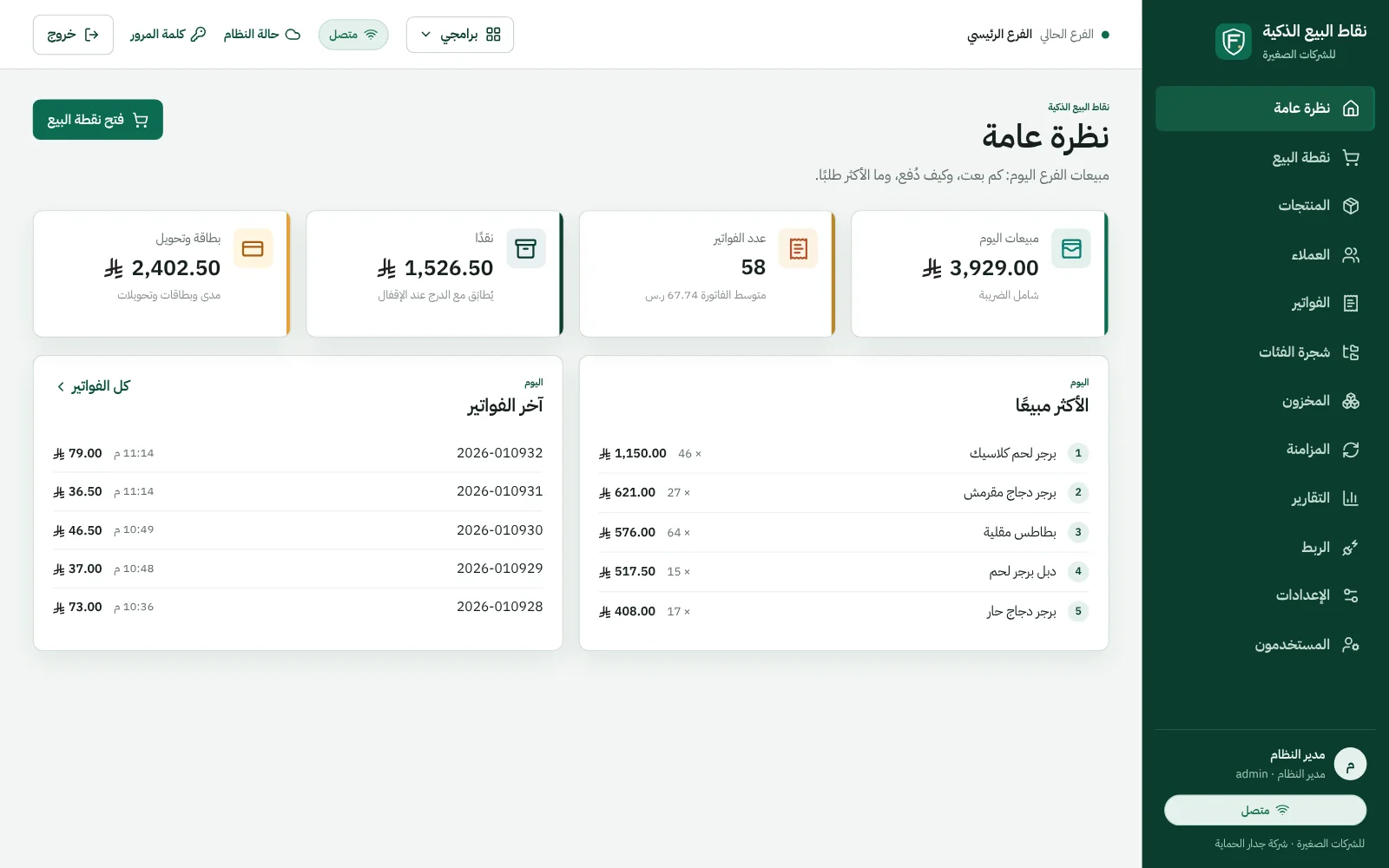
Overview
The Smart POS dashboard: today's sales and invoice count, cash and card, best sellers and latest invoices
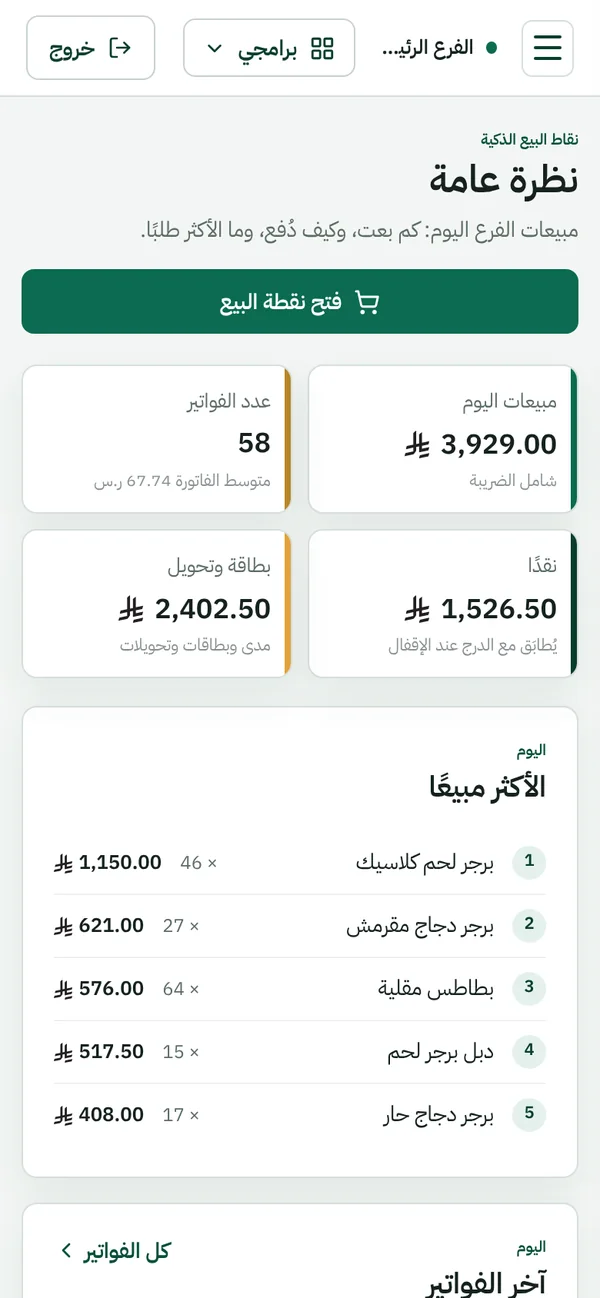
The Smart POS dashboard on mobile
Straight from the product, on sample data for a fictional restaurant.

Questions about Smart POS

Didn't find your question? Ask us directly.

Does it work without internet?

The Windows cashier app works offline and syncs invoices when the connection returns, without duplicates; the management screens run in the browser.

Do I need Smart Accountant or IQ Inventory with it?

No. It works fully on its own, and when you connect them its sales reach the books and its ingredients are issued from inventory.

What's the difference between it and “POS & Trade”?

Smart POS is a lightweight product in the small-business suite. POS & Trade belongs to the mid-size and large company suite, with back-office sales, manufacturing, contracting and multiple warehouses.

See it working…
before you decide.

Book a live demo on sample data, or tell us about your idea — we'll reply to you personally.

info@firewallsa.comDammam

Request a live demo

Product you're interested in

Opens WhatsApp with a ready message to our sales team; the website doesn't store your data. You can also email us.

WhatsApp